

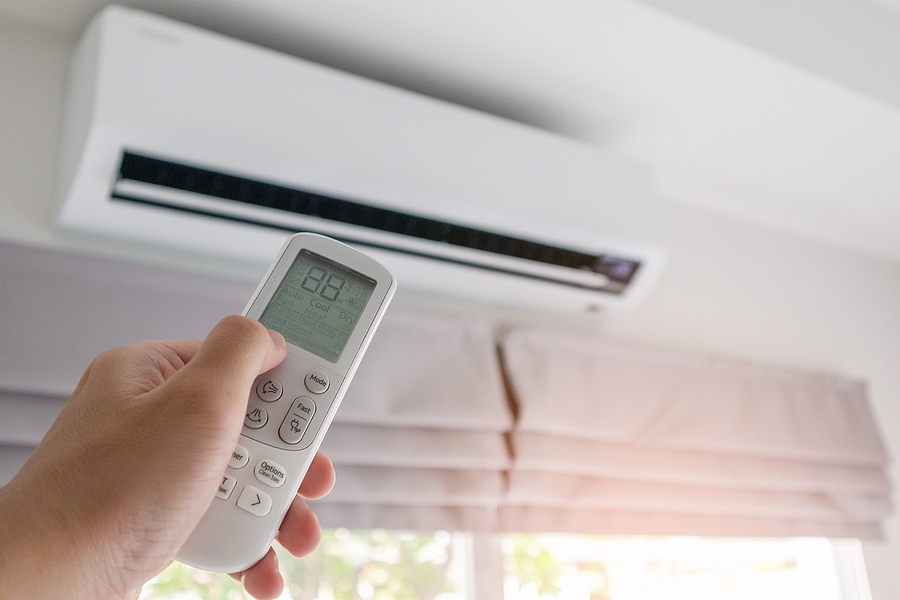
Yes. Instead of turning it off completely, you should leave your air conditioner running on a higher temperature setting when you are away from your Florida home. Heat and humidity can cause indoor moisture levels to rise indoors creating conditions that promote mold, mildew, odors, warped materials and damaged belongings.
Ideally, your air conditioner should run often enough to keep indoor humidity from getting too high or excessive heat from building up. Don’t worry about cooling an empty house to the temperature you like when you’re home. Instead, just set it high enough to control humidity and minimize heat buildup.
What Temperature Should You Set the AC When You Are Away?
If your indoor humidity stays below 60%, most Florida homeowners can start with an away setting of about 80 to 82 degrees. The ideal temperature setting depends on your home’s construction, air-conditioning system, insulation, air leakage, the time of year and how long you’ll be gone.
Turn the thermostat up only a few degrees higher than your occupied setting for an average workday or brief outing. Set it around 80 to 82 degrees to reduce energy use while still letting the air conditioner remove moisture if you will be on vacation or away for the season.
Remember, temperature isn’t the only factor. For example, a home that remains at 82 degrees with 50% relative humidity is likely better protected than a cooler home where indoor humidity remains above 60%.
Why Shouldn’t You Turn the AC Off Completely?
If you turn the AC off, indoor temperatures and humidity levels can climb quickly, especially during summer in Florida. Air conditioners remove moisture from the air as they cool, so turning the system off means losing one of the best ways to control humidity in your home.
Excess humidity can damage drywall, flooring, cabinetry, furniture, fabrics, electronics and stored possessions. It may also cause condensation to form on cool surfaces after humid air enters your home through holes around windows, doors, ducts, vents, and other areas.
The Florida Department of Health recommends running your air conditioner or using a dehumidifier to keep indoor relative humidity below 60%. It also warns that central air conditioning systems that require supplemental dehumidification to maintain that level may need professional evaluation.
Is Humidity More Important Than the Thermostat Setting?
For homes unoccupied during the warmest parts of the year, humidity can be more important than thermostat settings. Since thermostats measure only temperature unless they include a humidity sensor, you may not know when indoor humidity levels are too high.
You can monitor your home’s relative humidity with an inexpensive digital hygrometer. Smart thermostats and standalone humidity monitors may also allow remote monitoring and send alerts when the settings are exceeded.
Florida energy officials recommend keeping indoor humidity between about 45% and 60%. Ideally, but don’t sweat it if you go a little over that range for short periods. The ideal thermostat setting is whatever temperature allows you to maintain that humidity range without unnecessarily cooling an empty house.
Should the Thermostat Fan Be Set to AUTO or ON?
Your thermostat fan should usually be set to AUTO, not ON, when the home is vacant. AUTO will run the blower only during cooling cycles, while ON runs the blower continuously, even when the compressor stops running.
The fan on ON can draw moisture evaporating from the cooling coil back into the house after the compressor turns off. It also wastes electricity and adds more operating hours to the fan.
Florida Power & Light and My Florida Home Energy recommend setting the thermostat fan to AUTO for maximum energy savings.
Can a Smart Thermostat Protect a Vacant Florida Home?
A smart thermostat can make it easier to protect your home while you are away. Smart thermostats let you control temperature settings and cooling schedules remotely. They can provide humidity information, send alerts if the HVAC system fails to reach your set temperature, or notify you if indoor temperatures rise unexpectedly.
Remote thermostats are ideal if you are a seasonal resident or planning to take an extended vacation. Instead of asking someone to check your house periodically, you can adjust thermostat settings from anywhere with an internet connection if severe weather is approaching or you become concerned about indoor conditions.
Many ENERGY STAR-certified smart thermostats automatically use energy-saving settings when someone is away. Smart features vary, so choose a model that works with your HVAC equipment and humidity-control needs.
What Should You Check Before Leaving the House?
Double-check these items before leaving on vacation or going away for an extended period. Even minor drainage, filter, thermostat, or electrical problems can become big issues when no one is home to notice rising moisture levels or temperatures.
- Change or clean your HVAC filter if needed.
- Make sure the thermostat is set to COOL mode.
- Set the fan switch to AUTO.
- Check the condensate drain and fix any known problems.
- Confirm that all doors and windows close properly against their frames.
- Open interior doors to improve air circulation.
- Ask a friend or neighbor to periodically check your house.
- Enable alerts for temperature, humidity, and power loss if available.
Do NOT reset the thermostat to a much lower temperature before leaving. Your AC won’t start cooling faster; it will just keep running until it reaches the set temperature.
Should You Use a Dehumidifier While You Are Away?
Whole-home dehumidifiers can help if your AC can’t maintain comfortable humidity without cooling the house too much. Use portable models with caution. Their reservoirs can overflow unless you connect them to a dependable continuous drain.
Don’t use a dehumidifier to mask the symptoms of an AC problem, leaking pipe, roof leak, damaged window or wall, or any type of unexpected water damage. Locate and repair sources of unwanted moisture instead of trying to manage the problem indefinitely with additional equipment.
Turning Point Home Solutions has published tips about reducing indoor humidity levels in Florida homes. Moisture control matters because it protects interior finishes and building materials from damage.
The company’s repair and improvement services range from drywall repair and painting to windows and doors, gutters, soffit and fascia.
Can Windows and Exterior Maintenance Affect Indoor Humidity?
Yes, windows, doors, gaps around exterior components, and water intrusion can make humidity difficult to control. Your air conditioner can run normally while humid outdoor air or rainwater slowly moves into your house.
Check windows and exterior doors for problems that prevent them from closing or sealing tightly. Also check gutters, soffit, fascia, siding transitions, and other exterior areas for signs of deterioration that could allow moisture to contact walls or ceilings.
Turning Point Home Solutions serves Sarasota homeowners in Port Charlotte and the surrounding area with hurricane window and door installation, drywall repair, painting, gutters, soffit and fascia, flood barriers, and other home improvements. These services can help you address building-envelope issues and moisture problems that affect many homes in Florida.
What Is the Best AC Strategy for an Extended Florida Absence?
Run the AC on a higher temperature setting to keep humidity levels under control. Set the fan to AUTO, and watch humidity levels. Start around 80 to 82 degrees, but raise it if your home’s relative humidity exceeds 60%.
Arrange for someone to check your property periodically if you will be gone during hurricane season or for an extended period. Smart thermostats and monitors are great, but they can’t spot a leak, unclog a drain or know how to react if physical damage occurs during a storm.
Should You Run the AC When You Are Away From a Florida Home? Turn it to a higher setting. Contact Turning Point Home Solutions today.

